
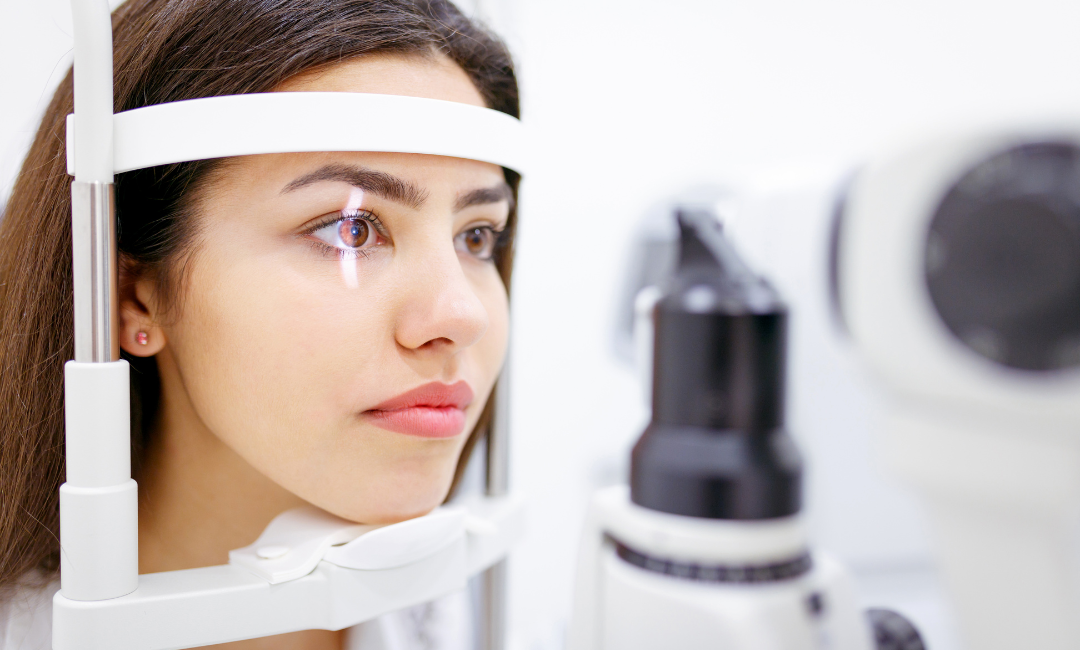
Computers have become an essential part of modern life, whether people use them for office responsibilities, online learning, research, or personal activities. However, spending extended periods looking at a screen can sometimes lead to blurred vision, tired eyes, headaches, and difficulty shifting focus between different distances. These symptoms may develop gradually, making it difficult to determine whether they are caused by visual strain, an outdated glasses prescription, or another underlying issue.
Understanding how the eyes respond to prolonged screen use can help people recognise when professional assessment may be beneficial. Comprehensive eye examinations allow optometrists to evaluate visual clarity, focusing ability, and eye coordination to investigate symptoms that occur during computer work. Identifying potential contributing factors can help individuals make informed decisions about their eye care and daily screen habits.
Understanding Focusing Difficulties During Computer Use
The eyes constantly adjust to different viewing distances throughout the day. When working at a computer, however, they often remain focused on a relatively close target for an extended period. This sustained visual demand can contribute to discomfort, particularly when combined with long working sessions, reduced blinking, poor lighting, or unsuitable screen positioning.
Some people experience temporary blurring when looking away from their monitors and focusing on distant objects. Others may find it difficult to maintain clear vision during prolonged reading or notice that their eyes feel tired towards the end of the day.
These symptoms can be associated with digital eye strain, but they may also occur when an individual has an uncorrected refractive error or difficulty with the focusing system. An eye examination helps investigate possible explanations rather than assuming that screen exposure is the only cause.
How Visual Acuity Testing Identifies Clarity Problems
Visual acuity testing is a common part of an eye examination. It measures how clearly a person can see letters, numbers, or symbols at specified distances. This assessment helps an optometrist determine whether visual sharpness is within the expected range and whether corrective lenses may be required.
For people who spend significant time at a computer, the examination may consider both distance and near vision. An individual might see distant objects clearly but experience discomfort when reading small text or working with information on a monitor.
An optometrist may perform a refraction assessment to determine whether short-sightedness, long-sightedness, astigmatism, or another prescription-related issue is contributing to the symptoms. The results can help guide recommendations for suitable corrective lenses.
However, normal visual acuity does not rule out every focusing difficulty. Additional assessments may be needed when symptoms continue despite apparently clear vision.
Evaluating the Eye’s Focusing Response
The ability to change focus between near and distant objects is important during computer work. Employees frequently move their attention between a monitor, printed documents, colleagues, and objects across a room. The eyes need to adjust appropriately to maintain comfortable vision.
An optometrist may assess accommodation, which is the process through which the eyes adjust their focus for objects at different distances. Testing may help identify whether a person has difficulty sustaining near focus or changing focus efficiently.
For example, someone who experiences blurred vision after looking away from a computer may benefit from an assessment of their focusing response. The optometrist can consider the symptoms alongside other findings to determine whether a focusing issue may be involved.
Recommendations depend on the cause of the difficulty and may include prescription adjustments, practical changes to working habits, or additional evaluation when necessary.
Why Eye Coordination Matters During Screen Work
Both eyes need to work together to maintain comfortable vision, particularly during tasks that require sustained attention to close objects. When eye coordination is inefficient, some people may experience visual fatigue, headaches, intermittent double vision, or difficulty concentrating on text.
During a comprehensive examination, an optometrist may evaluate eye alignment and binocular vision. These assessments can help determine how effectively the eyes coordinate when looking at near targets.
People who experience discomfort during computer work should describe their symptoms clearly, including whether text appears to move, whether blurring occurs in one or both eyes, and whether symptoms improve after taking a break.
An Eye Exam Whitby appointment can provide an opportunity to discuss these concerns and determine which assessments are appropriate. The findings may help distinguish between prescription-related problems, focusing difficulties, eye coordination concerns, and other possible causes of discomfort.
The Role of Dry Eye in Computer-Related Blurring
Not all screen-related vision problems originate in the eye’s focusing system. Dry eye can also cause intermittent blurred vision, burning, irritation, and a gritty sensation. People often blink less frequently when concentrating on digital displays, which may contribute to tear film instability.
The tear film creates a smooth optical surface that supports clear vision. When it becomes unstable, eyesight may appear hazy and temporarily improve after blinking.
An optometrist may examine the eye surface and assess the tear film when symptoms suggest dryness. Recommendations may involve adjusting the screen environment, taking regular breaks, improving blinking habits, or using suitable dry-eye treatments based on professional advice.
Understanding this distinction matters because focusing difficulties and dry eye can produce similar complaints but may require different management approaches.
Practical Ways to Reduce Visual Strain at Work
Although an eye examination can help investigate persistent symptoms, practical adjustments may also improve visual comfort during computer use.
Follow the 20-20-20 approach: Every 20 minutes, look at an object approximately 20 feet away for at least 20 seconds. This provides a brief opportunity to relax from sustained close-up viewing.
Adjust your monitor position: Place the screen at a comfortable distance and slightly below eye level when practical. Increase text size rather than leaning forward to read small content.
Remember to blink: Conscious, complete blinking may help maintain the tear film during periods of concentration.
Improve lighting: Reduce glare and reflections while ensuring the workspace is adequately lit for reading and other tasks.
Take regular breaks: Stand up, move around, and look at objects at different distances throughout the working day.
These habits may reduce discomfort, but they should not replace professional assessment when symptoms persist or repeatedly return.
When Should You Arrange an Eye Examination?
Consider arranging an eye examination if computer work regularly causes blurred vision, recurring headaches, difficulty changing focus, or persistent eye discomfort. It is also worth seeking advice when your current glasses no longer provide comfortable vision or when symptoms interfere with work and everyday activities.
Before an appointment, note when the symptoms occur, how long they last, and whether they improve after resting your eyes. Information about screen time, contact lens use, existing prescriptions, and relevant medical conditions can also help the optometrist assess your needs.
Sudden vision changes, severe eye pain, or sudden loss of vision require urgent medical assessment rather than waiting for a routine appointment.
Conclusion
Focusing difficulties during computer work can result from several factors, including refractive errors, problems with accommodation, eye coordination concerns, and dry eye. Because these conditions may produce similar symptoms, identifying the cause requires more than simply checking whether someone can read an eye chart.
A comprehensive eye examination can assess visual clarity, focusing responses, and other aspects of eye health to help guide appropriate recommendations. By combining professional advice with practical screen habits, individuals can take meaningful steps towards improving visual comfort and managing recurring symptoms during computer use.